Memory
Automatic accumulation and utilization of agent memory
Overview
Agent memory automatically extracts knowledge from conversations at the end of each session and injects it into future sessions. User preferences, feedback, project context, and learned patterns accumulate over time as you have more conversations.
Memory Types
| Type | Description |
|---|---|
user | Information about the user's role, expertise, and preferences |
feedback | Correction instructions and workflow feedback from the user |
project | Project decisions and context |
reference | Pointers to external resources and systems |
learned | Patterns and knowledge learned by the agent |
Storage Configuration
| Mode | Storage Path | Use Case |
|---|---|---|
| shared | .claude/agent-memory/{name}.memory/ | Stored within the project. Shareable via Git |
| private | ~/.claude/agent-memory/{project-slug}/{name}.memory/ | Local only. For personal feedback, etc. |
Configure in the agent's frontmatter with memory: shared or memory: private. Use memory: false to disable memory.
How Automatic Extraction Works
- At session end, the JSONL transcript output by Claude Code (under
~/.claude/projects/) is read - New messages after the last extracted position (offset) are retrieved. Offsets are managed in
.extraction_offsets.json - The conversation content is passed to Claude (Sonnet model) to extract knowledge worth saving as memory
- Extracted memories are saved as individual .md files and the MEMORY.md index is updated
If JSONL is unavailable, fallback extraction is performed from shell output text (after removing ANSI escape sequences, a minimum of 500 characters is required).
Memory File Format
---
name: feedback_testing_approach
description: テスト時にモックDBを使わない方針
type: feedback
createdAt: 2025-03-15T10:30:00Z
updatedAt: 2025-03-15T10:30:00Z
pinned: true
---

統合テストでは実データベースを使用し、モックは使わない。
理由: モックとプロダクションの乖離でバグを見逃した過去がある。
Injection into Sessions
At session startup, memories are injected via the --append-system-prompt flag. Injection rules:
- Pinned memories are always injected
- Remaining slots are filled in order of most recent
updatedAt - The injection limit is controlled by the agent's
memoryLimit(default: 20) - Injected memories are wrapped in
<agent-memory>tags
Manual Management
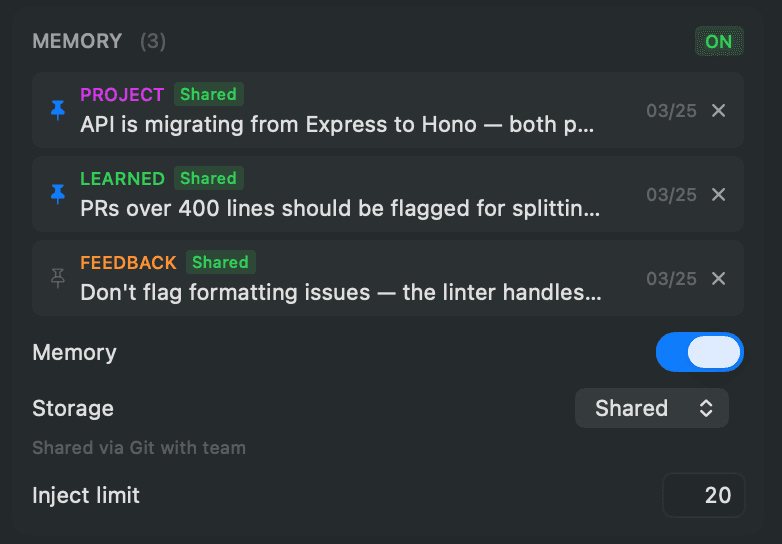
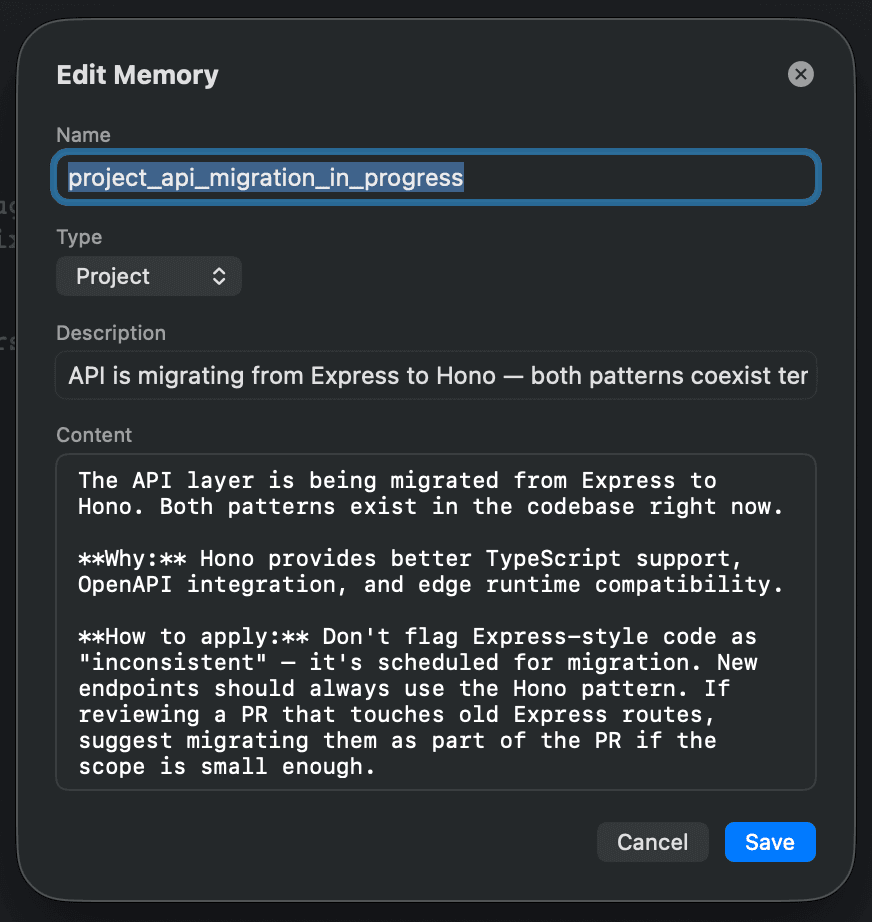
The following operations are available in the memory section of the inspector:
- ON/OFF toggle — Enable or disable the memory feature
- Storage switch — Choose shared / private (project-scoped agents only)
- Injection limit — Adjustable from 1 to 100
- Pin — Pin important memories so they are always injected
- Edit — Click a memory to edit its name, type, description, and content
- Delete — Delete unnecessary memories along with their files
The memory list is displayed in order of pinned first, then by update date. Initially 5 items are shown. Click "Show more" to expand the full list.